




Which Ecommerce Platforms Can Sell Firearms and Ammo?
Which ecommerce platforms can sell firearms and ammo? A short decision guide to BigCommerce, WooCommerce, Adobe Commerce / Magento, and Shopify for gun and ammo stores.
Giancarlo Byrne
11/11/2026
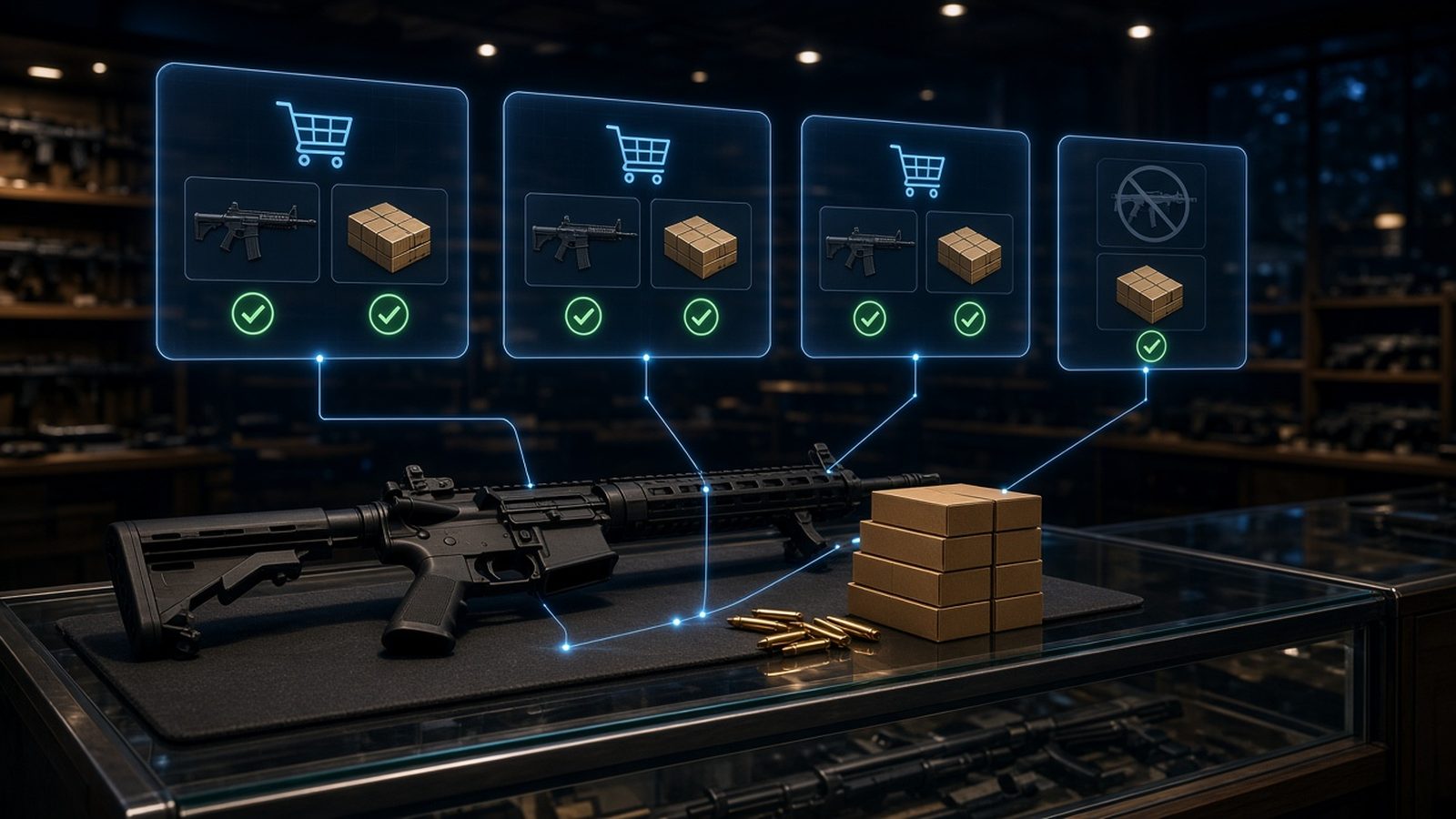
Which ecommerce platforms can sell firearms and ammo? With Automatic FFL, you can sell both firearms and ammunition on BigCommerce, WooCommerce, and Adobe Commerce / Magento. On Shopify, our app covers ammunition only. But the platform is rarely the hardest part. Whether you can take payments, how your checkout handles mixed carts, and who will maintain the store usually matter more.
This is the sixth post in our getting-started series on selling firearms and ammo online. Earlier posts covered whether you need an FFL, how to get one, when you need an SOT, inventory vs. drop-ship vs. transfers, and which payment processors allow firearm and ammo sales. We already wrote a detailed, platform-by-platform setup guide: Selling Firearms Online on BigCommerce, WooCommerce, or Magento: What Does the Checkout Need? This post is the short version for someone still choosing. It is general education, not legal advice.
The short answer
- BigCommerce: firearms and ammo. Installed from the BigCommerce App Store.
- WooCommerce: firearms and ammo. Installed as a WordPress plugin.
- Adobe Commerce / Magento: firearms and ammo. Installed as an extension from the Adobe Commerce Marketplace, with a developer.
- Shopify: ammunition only. Our Shopify FAQ puts it plainly: the current Shopify app is Automatic FFL Ammo, and “it should not be used as a firearm-order checkout solution.”
Software support is one question. Whether a platform’s own terms, your host, and your payment provider accept your business is a separate one. Read each platform’s current acceptable use terms yourself before you build. Those terms can change, and we don’t summarize them here.
Check 1: Can you take a card on it?
Payments decide more launches than platform features do. As we covered in the payment processors post, several built-in payment options don’t accept firearms. WooPayments, the default card option many WooCommerce stores start with, prohibits firearms and ammunition. So on any platform, plan on a merchant account from a processor that has agreed in writing to underwrite your business, and confirm that processor connects to the platform you pick.
One more payments detail worth knowing early. California, Colorado, and New York have laws that make card acquirers assign a dedicated firearms merchant category code, MCC 5723, to qualifying firearms merchants. In California and New York, that assignment applies on or after May 1, 2025. The code labels your store type at underwriting, based on what you tell the processor. It doesn’t change what you can ship. A federal bill to ban the code, H.R. 1181, passed the House on July 14, 2026 and has been in the Senate Banking Committee since July 15. It is not law. If you’re based in one of those states, or most of your sales go there, ask your processor how it applies the code to you.
Check 2: How should mixed carts work?
A buyer orders a rifle and a sling. The rifle has to go to a dealer; the sling may ship home. Each platform handles that differently with Automatic FFL:
- BigCommerce: one checkout, one order, one payment. FFL items go to the dealer and eligible items ship home.
- WooCommerce: a Save For Later flow, so the buyer completes two checkouts.
- Adobe Commerce / Magento: multiple-address checkout, which creates a separate order per destination. Shoppers need to sign in or create an account.
- Shopify (ammo): when a cart requires an FFL, the entire order ships to the selected dealer.
If mixed carts are a big part of your catalog, weigh this heavily. Our posts on which products need an FFL vs. ship to the door and mixed FFL carts go deeper.
Check 3: Who will set it up and keep it running?
- BigCommerce is a standard setup with no developer for a typical install, and the dealer map is hosted by Automatic FFL, so you don’t need a Google Maps API key. BigCommerce allows one custom checkout script per store, so if you already run a different one, plan the switch.
- WooCommerce is also a typical no-developer install, but you’ll create a Google Maps API key in your own Google Cloud account. You also run hosting and plugin updates yourself.
- Adobe Commerce / Magento installs through Composer, so budget for a developer. Instant Purchase and, on Adobe Commerce, AsyncOrder aren’t supported, and custom checkouts or themes need a look first.
Whatever you choose, keep the platform and its extensions updated, and run test orders after every major update.
Check 4: Do you need store or fulfillment features?
A few features depend on the platform:
- In-store pickup with Automatic FFL is BigCommerce only. It uses native BigCommerce Locations and Pickup methods. See our in-store pickup post.
- Drop-ship and fulfillment tools: Automatic FFL has documented integrations with Flxpoint and Spark Shipping. If you plan to drop-ship, confirm the tool you want supports your platform.
A simple way to decide
- Already on a platform? If it is one of the three firearms platforms, start there. Switching platforms is a big project, so compare the checks above against what you already have first.
- Selling ammo only? Shopify is an option with our ammo app, along with the other three.
- Selling firearms with a lot of mixed carts or a physical counter? BigCommerce’s single-order mixed carts and in-store pickup are worth a close look.
- Want full control and have a developer? WooCommerce or Adobe Commerce / Magento.
Before launch, run test orders with a firearm, an accessory, and a mixed cart, and confirm the dealer details show up where your shipping team looks. For questions about your own store’s legal obligations, talk with a firearms attorney.
Try it on your store
Look up a transfer dealer for free. Create a free Automatic FFL account to search FFL dealers by license number, name, city, state, or ZIP, open each dealer’s ATF eZ Check record, and see which dealers have certificate data on file. Start with the FFL database. The database is not legal advice and does not replace your own compliance review.
Try Automatic FFL free for 30 days. Add FFL dealer selection to your BigCommerce, WooCommerce, or Adobe Commerce / Magento checkout (Shopify: ammunition only). You’re not charged until the trial ends, and you can cancel before then. Plans start at $99 per site per month after the trial (pricing).
- Start your BigCommerce trial
- Start your WooCommerce trial
- Start your Adobe Commerce / Magento trial
- Start your Shopify ammo trial
Sources: Automatic FFL BigCommerce, WooCommerce, Magento, and Shopify pages and documentation; California Financial Code 110000-110002; Colorado SB24-066; New York GBL 529-a; H.R. 1181 actions.