Apply your state rules
Choose which ammo categories and destination states require delivery to an FFL.
Start with the integration built for your store.





Automatic FFL Ammo for Shopify
Choose which ammunition products and destination states require an FFL. When an order qualifies, your buyer selects a licensed dealer and the order is routed there.
Ammunition checkout policy
Choose which ammo categories and destination states require delivery to an FFL.
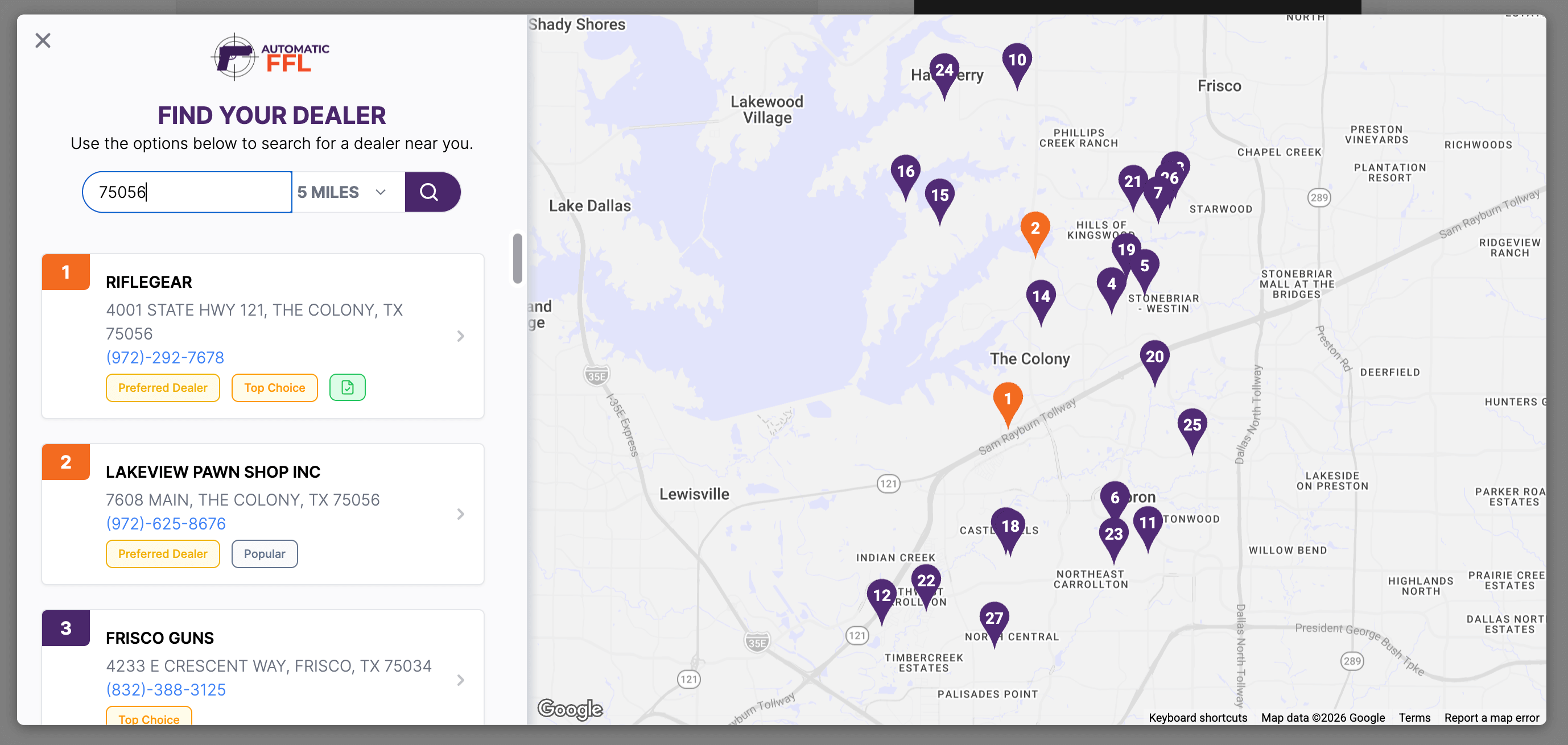
Buyers search the map and select a licensed dealer when an order requires one.
Automatic FFL adds the selected dealer’s address, license details, and EZ Check information to the order, along with a certificate link when available.
Dealer network control
Dealers are synced from the ATF daily. You have full control over Enabled Dealers and Preferred Dealers with plenty of search filters for easy management.
Checkout protection
The buyer confirms the destination state and selects an FFL when required.
If a buyer skips the cart, Shopify blocks a restricted ammo order until they return and select an FFL dealer.
The selected dealer’s license, expiration, EZ Check link, and certificate link are added to the Shopify order.
Dealer details
Add transfer fees and business hours to dealer listings, feature preferred dealers, and upload certificates you already have.
Give buyers useful dealer details before they choose.
Bring your existing certificate collection into Automatic FFL.
Shopify handles the subscription. Automatic FFL handles your categories, state policy, and dealer workflow.
Install Automatic FFL Ammo from the Shopify App Store. Your Automatic FFL account is created or connected automatically.
Choose monthly or yearly billing and approve the subscription in Shopify. No separate payment method is required.
Assign Shopify product categories, select the ammunition categories you use, and choose the states that require an FFL.
Turn on the theme app embed, save the theme, and place a test order in a state that requires dealer delivery.
Certificate access, useful dealer labels, and support from a team that understands FFL sales.
Access scanned certificates from thousands of dealers across the Automatic FFL network, reducing follow-up emails and certificate chasing.
Badges show which FFLs customers select most often and most recently. Residential Address labels identify dealers operating from a home.
Our American team understands FFL sales and works with you to meet your store’s needs.
No. The current Shopify app is Automatic FFL Ammo. It applies to ammunition products and state-specific ammunition shipping rules; it should not be used as a firearm-order checkout solution.
No. You don’t need Shopify Plus to use Automatic FFL Ammo. Install the app from the Shopify App Store and enable the theme app embed to set up dealer selection.
The buyer chooses a licensed dealer on the Automatic FFL map. That dealer becomes the shipping destination, and available dealer license, expiration, certificate, and EZ Check information can be added to the order.
The order proceeds through the normal Shopify checkout. Automatic FFL only introduces dealer selection when the product and destination state match the policy you configured.
When a mixed cart requires an FFL, the entire order ships to the selected dealer. The current Shopify integration does not split one order between the dealer and the customer’s home.
You get 30 days free. No credit card needed. Start your trial through Shopify, configure your ammunition categories and state rules, and test your dealer checkout flow.
No. The integration applies to your Shopify online store. It does not apply to in-person POS sales, subscriptions, orders created by another app, or edits made after an order is placed.
If restricted ammunition reaches checkout without a selected dealer, checkout protection tells the customer to return to the cart. You can disable dynamic checkout buttons in your theme if you want every buyer to begin with the guided cart flow.
30 days free. No credit card needed.