AutomaticFFL(tm) | AutomaticFFL for WooCommerce | FFL Checkout, Save For Later & Ammo Rules

AutomaticFFL × WooCommerce

FFL-compliant checkout for WooCommerce.

AutomaticFFL adds a dealer step to classic and block checkout. Firearms ship to the dealer, accessories ship home, ammo rules apply.
  • Save For Later
  • Ammo state rules
  • FFL cert network
  • Classic + Block checkout
  • WordPress plugin install
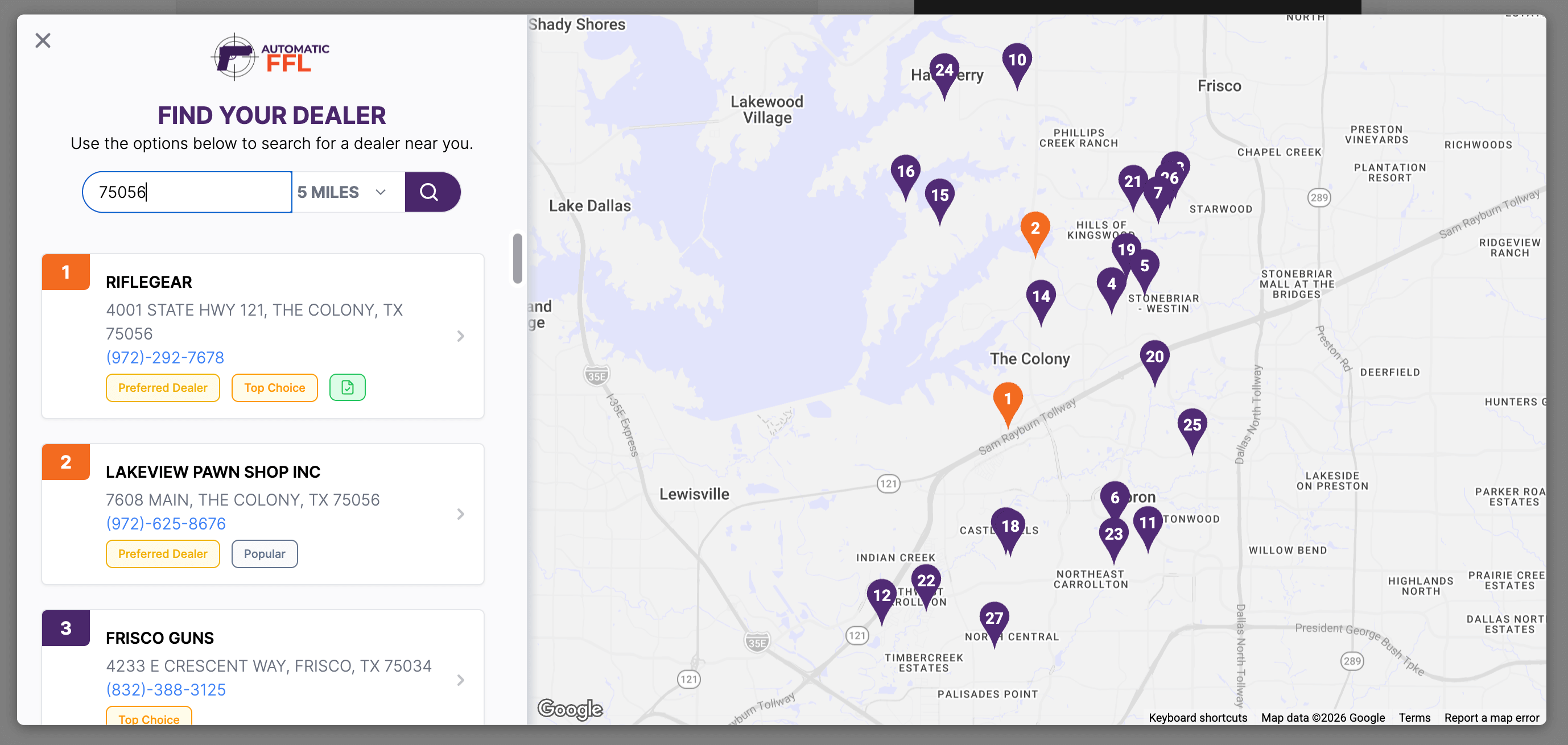
AutomaticFFL dealer locator at checkout — search by ZIP and radius, ranked dealer cards with Preferred Dealer and Top Choice badges, and a Google map with numbered dealer pins highlighting popular options.

Checkout operations

The three jobs your WooCommerce FFL checkout has to get right.

Mixed carts ship to the right destinations

WooCommerce sends one order to one address. Save For Later splits the cart so firearms route to the selected FFL and the rest ships home — with no manual cart juggling.

Compliance data lands on the order

The selected FFL's license, expiration, EZ Check, and certificate links can attach to the WooCommerce order so your fulfillment team has what they need.

Ammo Support

Ammo can be flagged separately from firearms, with restricted-state rules that trigger dealer selection only when the order needs it.

Dealer network control

An FFL database your team can manage.

ATF-synced dealers are the baseline. Preferred status, enabled dealers, certificate availability, and storefront routing controls are what reduce support work after checkout.
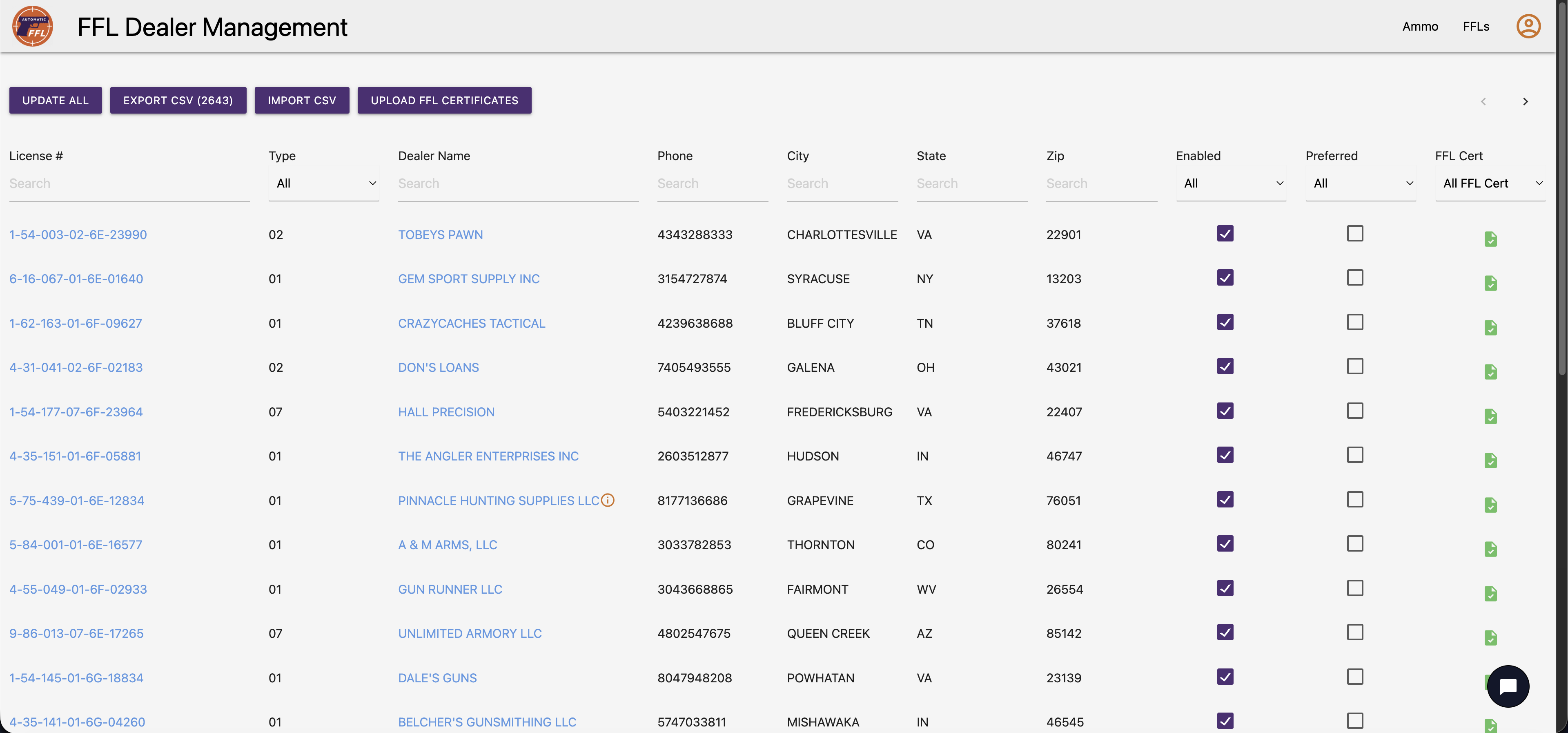
AutomaticFFL Dealer Management screen showing the merchant-facing dealer database with tens of thousands of FFL dealers — searchable by license number, name, city, state, ZIP, with Enabled, Preferred, and FFL Cert columns.

Live in 5 minutes.

Standard setup. No developer required.

1

Install

Add AutomaticFFL from the WordPress plugin directory.
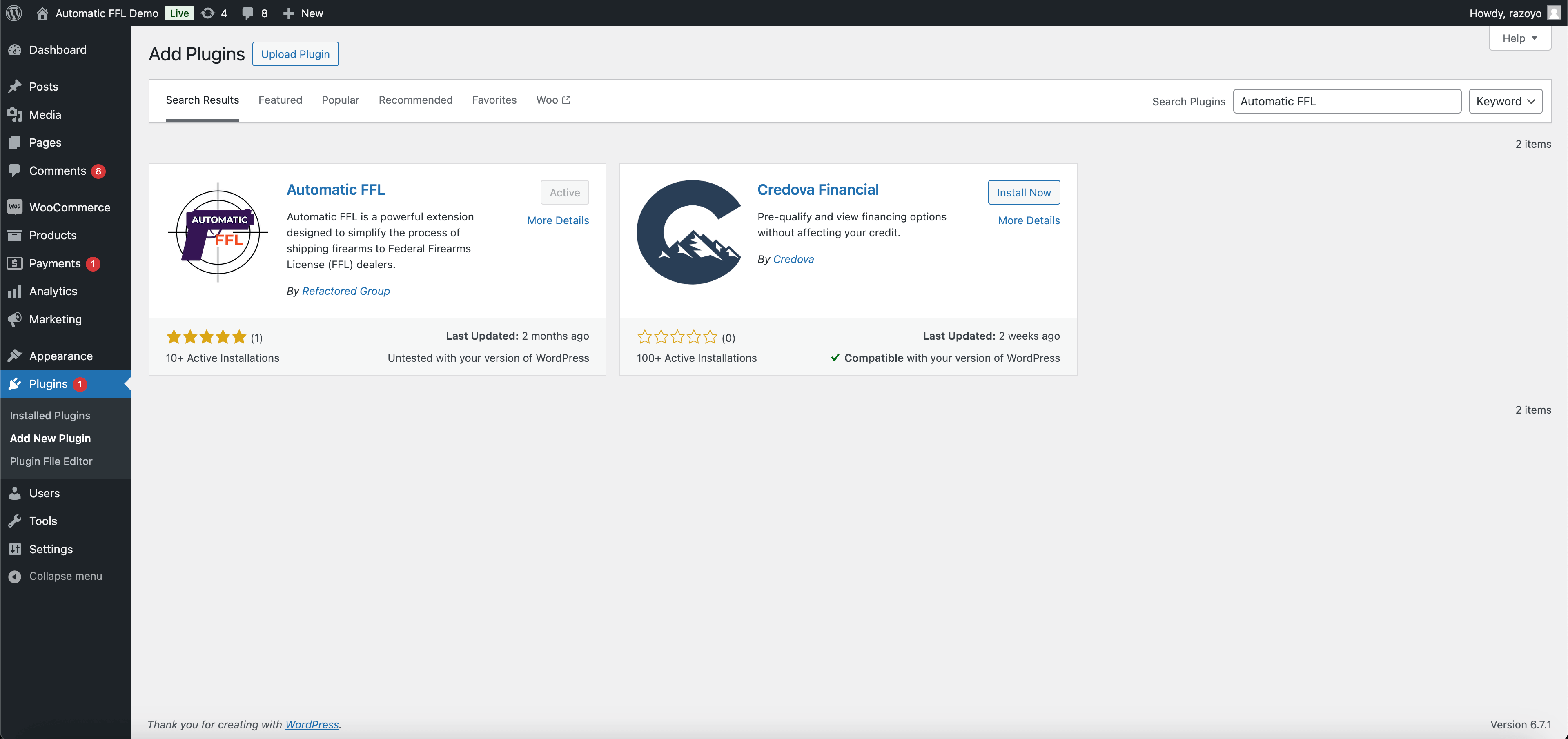
WordPress admin plugin search showing AutomaticFFL.
2

Add API key

Drop in your Google Maps API key and store settings.
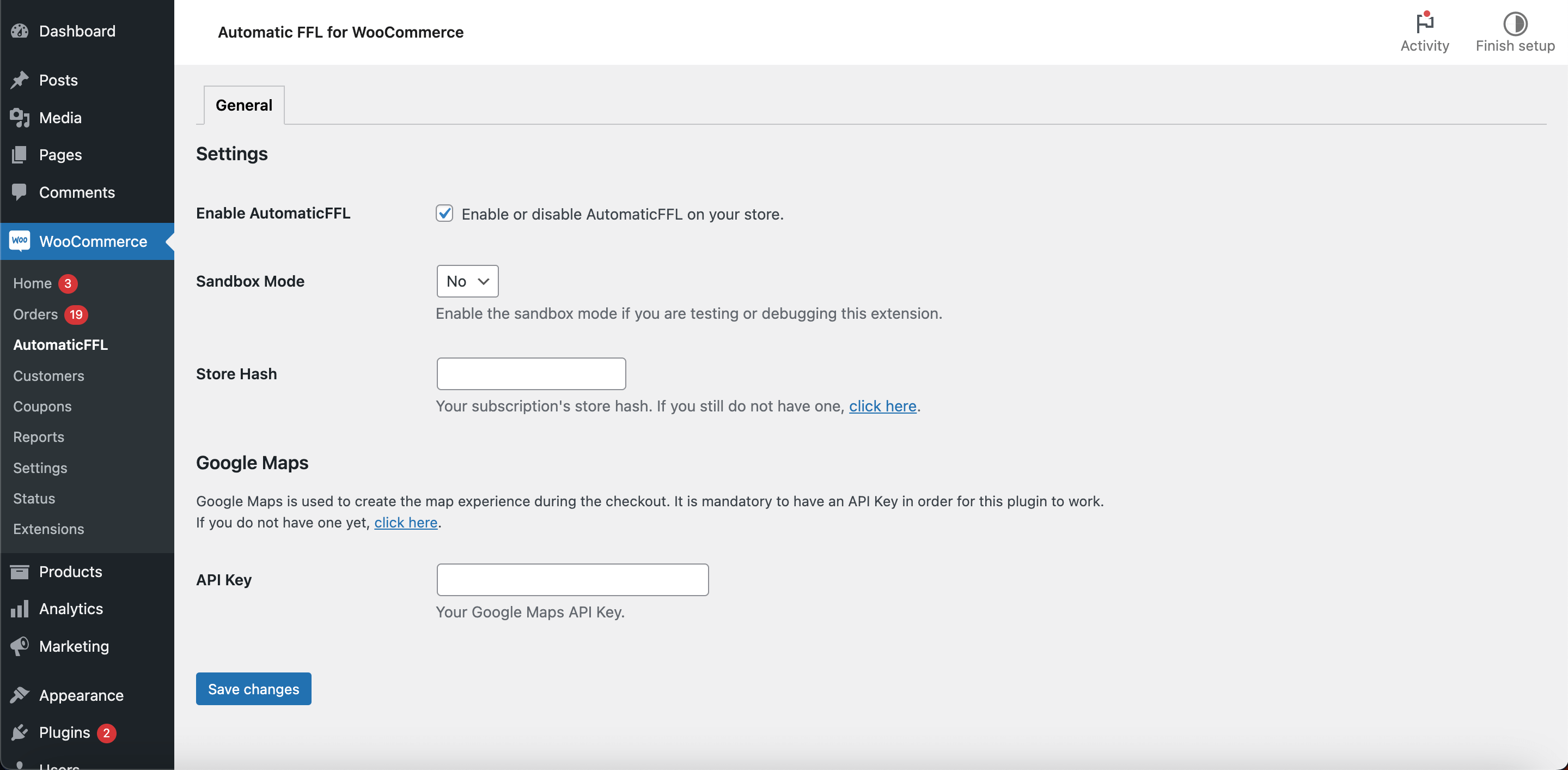
AutomaticFFL configuration screen for the Google Maps API key.
3

Flag products

Mark FFL-required items at the product or category level. Bulk edit and import work.
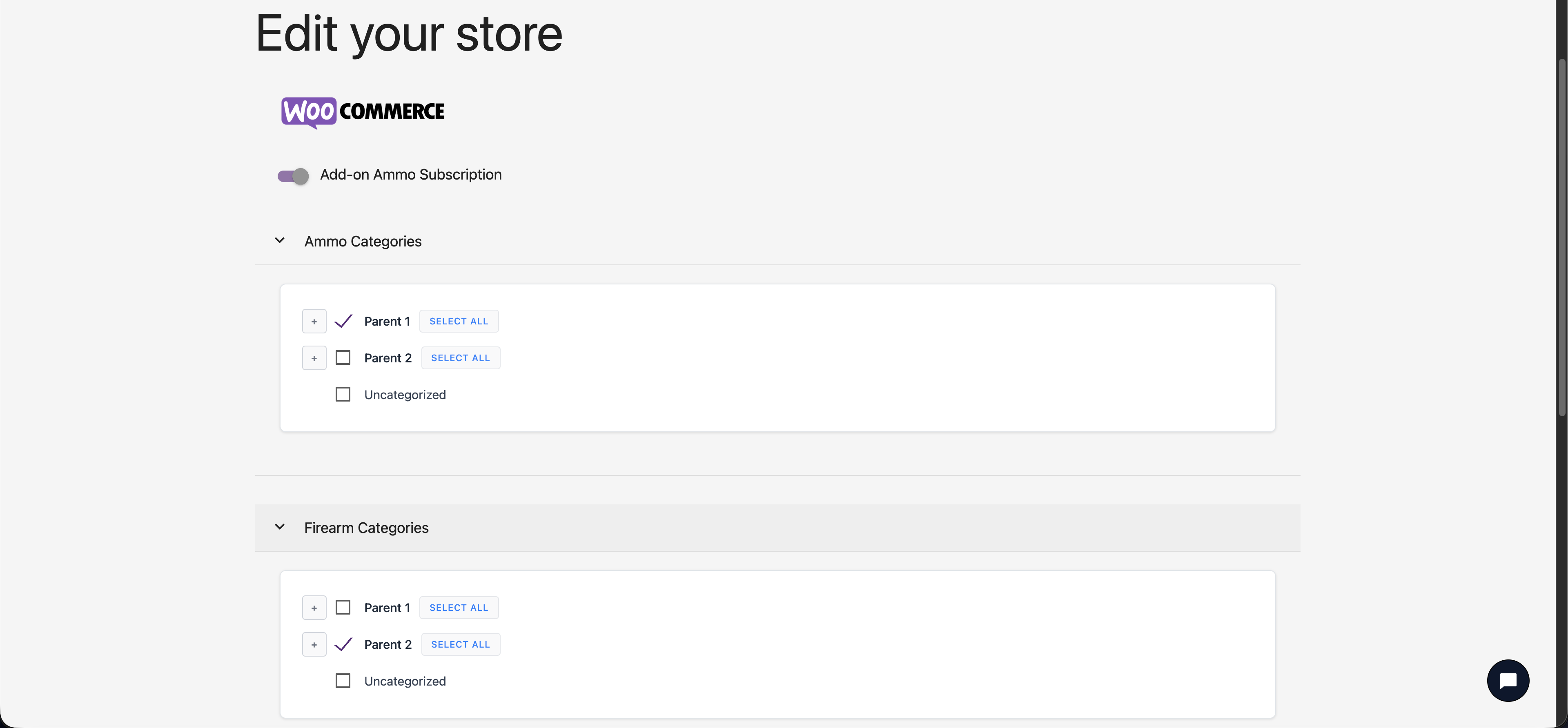
WooCommerce product editor showing the FFL-required product type option.
4

Test it

Run a test order to confirm dealer routing end-to-end.
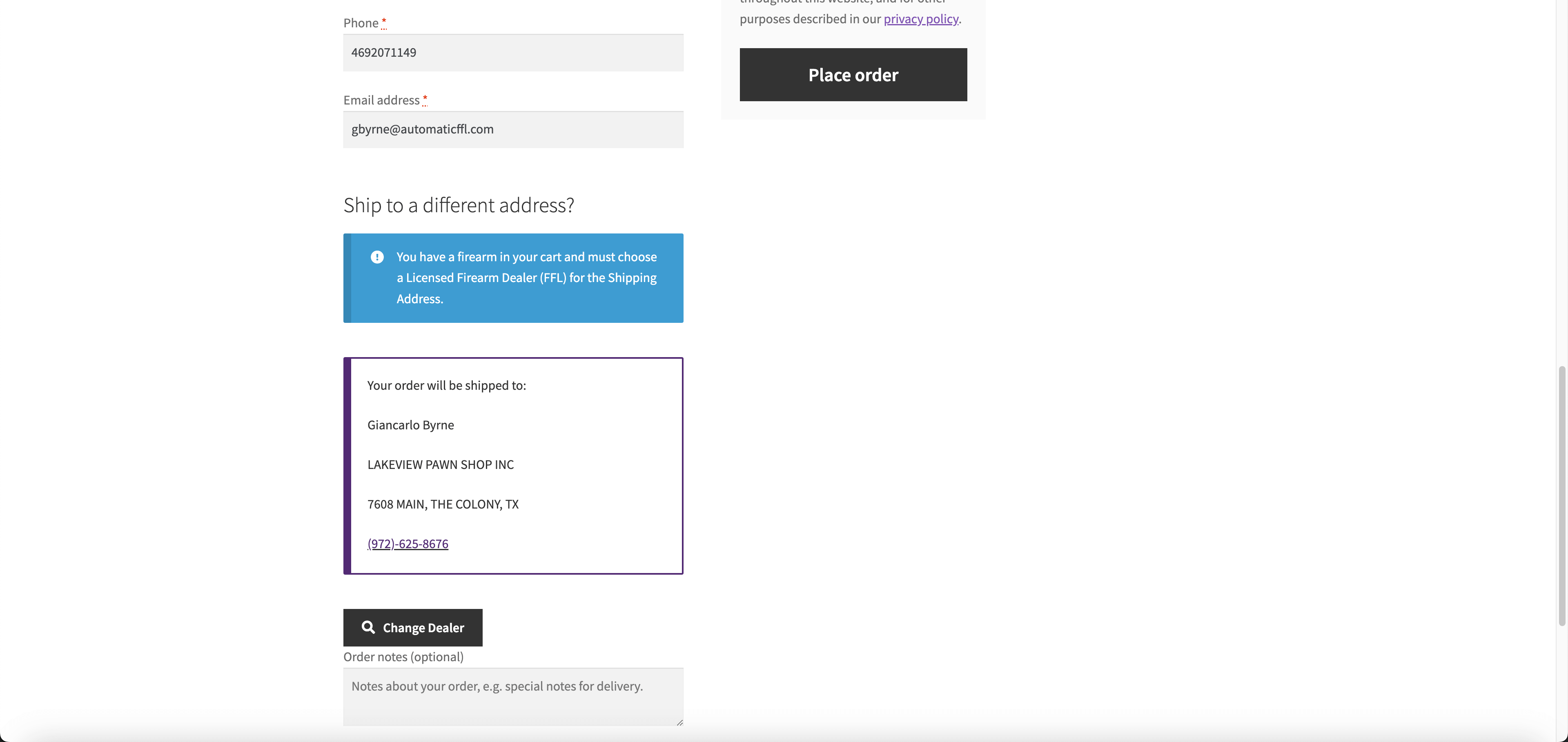
WooCommerce checkout with the AutomaticFFL dealer selection step.

The WooCommerce details that matter after launch.

Checkout behavior, catalog controls, and order data in one integration.

Classic + Block checkout

Both WooCommerce checkout systems supported, first-class.

Automatic FFL detection

Analyzes the cart and triggers dealer selection only when FFL-required or restricted ammo items need it.

Per-product FFL flag

Mark FFL-required, ammo, or standard at the product level.

Category-level FFL marking

Flag whole categories at once, not just one SKU at a time.

Bulk edit & import

Flag FFL status across an existing catalog using WooCommerce's bulk-edit tools.

Save For Later flow

Mixed-cart sequential checkout — firearms first or accessories first, the customer's choice.

Per-state ammo rules

Restricted-state ammo can trigger the FFL workflow even when the cart does not include a firearm.

Order data with FFL details

Selected dealer license, expiration, EZ Check, and certificate links can attach to the WooCommerce order.

FFL certificate network

Thousands of dealers have scanned FFLs on file, reducing post-checkout emails and certificate chasing.

Daily ATF sync

Dealer records stay current against ATF source data, with active status visible to your team.

Preferred dealer controls

Search, filter, enable, and prefer dealers so customers see the transfer partners you want them to use.

Popular-dealer indicators

Customers see which dealers other shoppers picked most.

Common questions from WooCommerce merchants.

Do I need a developer to install AutomaticFFL on WooCommerce?
No. Standard setup does not require a developer. The plugin installs from the WordPress plugin directory; configuration is a Google Maps API key and a few WooCommerce settings. Stores with custom checkout work or unusual catalogs may want a developer involved — the typical install does not.
What is the Google Maps API key for, and how do I get one?
The Google Maps API key powers the dealer locator inside checkout — the map and dealer list customers see when picking an FFL. You generate the key in the Google Cloud console under your own Google account; the key stays in your account and is referenced by AutomaticFFL.
What's the difference between your full FFL database and the FFL certificate network?
Two things, both included. The full FFL database covers every active FFL in the country, synced daily from ATF records — your customers can ship to any of them. The FFL certificate network is a subset of thousands of those dealers for whom we already have scanned FFL certificates on file. When a customer picks an in-network dealer, certificate and license details can travel with the order. No emails or faxes to chase.
Does this work with WooCommerce Checkout Blocks?
Yes. AutomaticFFL supports both classic WooCommerce checkout and the block-based checkout. You don’t have to migrate from one to the other to get dealer selection in checkout.
What FFL data appears on the WooCommerce order?
When order attachment is enabled, AutomaticFFL can record the selected dealer’s FFL license number, expiration date, EZ Check link, and certificate link on the order. That gives the team fulfilling the order the dealer details they need without searching through checkout session data.
How are mixed carts (FFL items plus regular items) handled?
WooCommerce does not natively support shipping a single order to two destinations, so we built Save For Later. When a customer’s cart contains both FFL-required items and standard products, AutomaticFFL groups the cart automatically. The customer checks out one group first — say, the firearms going to their selected FFL dealer — and is then presented with the second group as a follow-on checkout. The flow works in either direction (firearms first or regular items first), and customers never have to rebuild a cart or manage two separate sessions manually.
How do you handle ammo, including state-by-state rules?
Ammo is handled at the product level and the state level. You can flag ammo separately from firearms, and the workflow supports per-state ammo rules so restricted-state ammo can route to an FFL where required.
How long does setup typically take?
For a standard catalog: install, drop in the Google Maps API key, mark FFL-required products, and run a test checkout. From install to test order in one sitting is the realistic expectation.
What happens after the 30-day free trial?
The 30-day trial gives you the full WooCommerce integration to evaluate. After the trial, the integration moves onto the standard AutomaticFFL plan. No credit card is required to start the trial.

Start your WooCommerce free trial.

30 days free. No credit card. $75/month after the trial. Same-day support included while you set up.

Start the Trial

Or read the install guide first.