




Selling FFL Items on GunBroker in 2026: The Master FFL Step, the Per-Item Fee, and a Dealer Checklist
GunBroker requires Master FFL on every FFL-transfer sale. Review the per-item fee structure, the two-day dealer confirmation window, and what to check in your own storefront workflow.
Giancarlo Byrne
10/08/2026
If your FFL business sells firearms or NFA items on GunBroker, you pay a Master FFL fee on every transaction that requires a transfer. That per-item fee applies on top of GunBroker’s final value fee and is mandatory for all sellers using the marketplace’s transfer system.
This guide explains how GunBroker’s Master FFL works from the seller and receiving dealer perspective, breaks down the fee structure, and provides a practical checklist for dealers selling on GunBroker while also operating their own ecommerce storefront.
What Master FFL Is and Why It Exists
Master FFL is GunBroker’s system for routing firearms and NFA items to a licensed receiving dealer chosen by the buyer. When a customer purchases an FFL-required item on GunBroker, the buyer selects or provides a receiving dealer’s information. GunBroker uses Master FFL to verify that dealer’s license, facilitate the transfer, and collect the per-item fee from the seller.
The system is required on every sale that involves an FFL transfer. You cannot opt out of Master FFL if you sell firearms or NFA items on the platform. If you use another FFL compliance tool for your own storefront, that tool does not replace GunBroker’s Master FFL requirement for marketplace sales.
According to GunBroker’s help articles updated in October 2026, the Master FFL process includes:
- License verification for receiving dealers
- Two-business-day confirmation window for dealers to accept or decline the transfer
- Automatic collection of the per-item fee from the seller’s account
The Fee Structure: Per-Item Charges
GunBroker charges the seller a per-item Master FFL fee that depends on the item category and the seller’s licensing status:
| Item Type | Fee for Licensed Sellers | Fee for Non-Licensed Sellers |
|---|---|---|
| Standard firearms | $5.00 | $7.00 |
| NFA/SOT items | $10.00 | $10.00 |
These fees apply per item, not per transaction. If a buyer purchases three handguns in one order, the seller pays three Master FFL fees. The fee is in addition to GunBroker’s final value fee, which is 6% up to $400, then 4% from $400.01 to $15,000.
Example Cost Calculation
A licensed dealer sells a handgun for $600 on GunBroker:
- Final value fee: $24.00 (6% of $400 + 4% of $200)
- Master FFL fee: $5.00
- Total GunBroker fees: $29.00
A non-licensed seller sells the same handgun for $600:
- Final value fee: $24.00
- Master FFL fee: $7.00
- Total GunBroker fees: $31.00
An SOT dealer sells an NFA item for $1,200:
- Final value fee: $48.00 (6% of $400 + 4% of $800)
- Master FFL fee: $10.00
- Total GunBroker fees: $58.00
Compare those costs to your own storefront’s payment processing and compliance fees. Direct sales avoid the marketplace fee structure but require traffic, checkout tools, and dealer management on your platform.
The Receiving Dealer Confirmation Window
After a buyer completes a purchase on GunBroker, the receiving dealer has two business days to confirm or decline the transfer. That confirmation step is mandatory. If the dealer does not respond within the window, the transaction may be delayed or canceled.
What Receiving Dealers Should Check
If your FFL location receives transfers from GunBroker sales, keep the following current:
- License information and expiration date
- Physical address and contact details
- Transfer policies, including what items you accept and any restrictions
- Transfer fees and payment methods
GunBroker’s system pulls dealer data from public ATF records and private dealer directories. If your information is outdated or incorrect, buyers may encounter an error when selecting your location, or you may receive a transfer request for an item you do not handle.
Log in to your GunBroker account and verify your dealer profile at least quarterly. Update your transfer fees so buyers see accurate costs at checkout. Respond to incoming transfer requests within the two-day window so sellers and buyers do not experience delays.
What Sellers Should Know
As a seller, you need the buyer’s selected dealer to confirm the transfer promptly. If confirmations are frequently delayed, consider:
- Providing clear instructions to buyers about selecting a dealer who actively uses GunBroker
- Including a note in your listing about the two-day confirmation requirement
- Following up with buyers if a dealer has not confirmed within one business day
You cannot bypass the Master FFL confirmation step, but you can set buyer expectations so they understand that the dealer’s response is part of the process.
Comparing GunBroker Sales to Your Own Storefront
If you sell firearms both on GunBroker and through your own BigCommerce, WooCommerce, or other ecommerce platform, evaluate the per-sale margin for each channel. GunBroker brings built-in traffic but charges the final value fee and the Master FFL fee. Your storefront requires you to drive traffic and manage checkout compliance but avoids the per-item marketplace fees.
Margin Math Example
Consider a $600 handgun sold through different channels:
GunBroker (licensed seller):
- Sale price: $600.00
- Final value fee: $24.00
- Master FFL fee: $5.00
- Payment processing (estimated 3%): $18.00
- Net to seller: $553.00
Own storefront:
- Sale price: $600.00
- Payment processing (estimated 3%): $18.00
- FFL compliance tool (e.g., Automatic FFL): ~$1.80 per transaction (varies by plan)
- Net to seller: $580.20
That is a $27.20 difference per sale in favor of the direct storefront. Over 100 sales, the margin difference is $2,720. Whether that gap justifies investing in your own site’s traffic and checkout experience depends on your customer acquisition cost, repeat purchase rate, and the volume you can sustain outside the marketplace.
GunBroker remains valuable for reaching buyers who start their search on the platform. Many dealers use both channels: GunBroker for discovery and competitive pricing, and their own storefront for repeat customers, exclusive inventory, and higher-margin sales.
What to Check in Your Own Storefront FFL Workflow
If you operate an ecommerce site alongside your GunBroker presence, confirm that your own FFL checkout process is working correctly. The Master FFL requirement on GunBroker does not replace your storefront’s compliance tools.
Use this checklist:
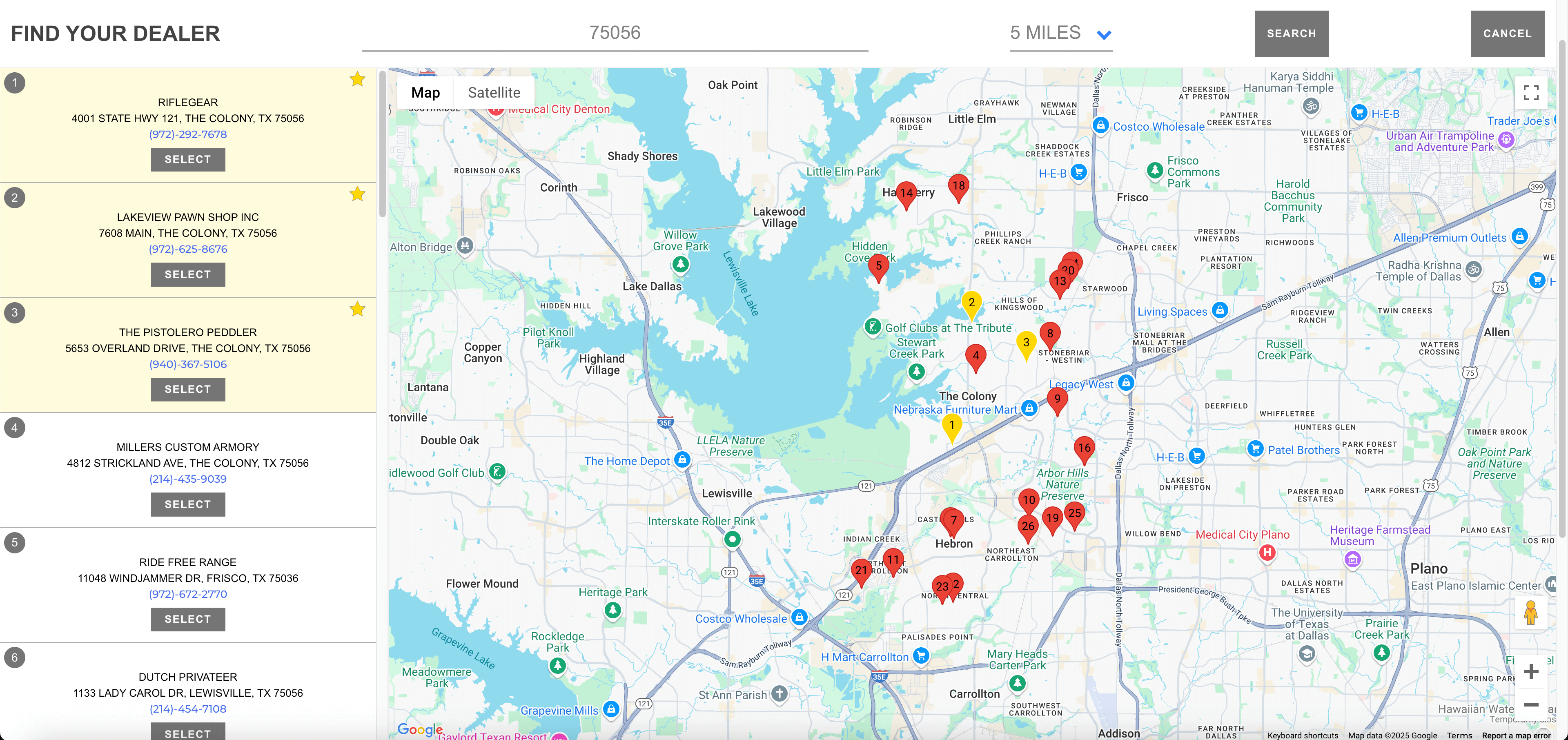
- Dealer selection: Can buyers search by ZIP code and select a receiving dealer at checkout?
- License verification: Does your tool pull current ATF license data or maintain an updated dealer database?
- Certificate availability: Do you have access to scanned FFL certificates for the receiving dealer, or a process for requesting them?
- Order information: Does the selected dealer’s name, address, and license number appear in your store’s order details?
- State routing: If you sell ammunition, are state-specific routing rules configured correctly?
- Mixed carts: If a buyer adds a firearm and an accessory, does your platform route each item to the correct destination?
Automatic FFL provides dealer selection, certificate access, and order-level license details for BigCommerce and WooCommerce stores. It does not integrate with GunBroker; marketplace sales use Master FFL, and direct storefront sales use your installed compliance tool.
Keeping Receiving Dealer Information Current
Whether you sell on GunBroker, through your own site, or both, outdated dealer information causes delays. Buyers may select a dealer whose license has expired, whose address is incorrect, or who no longer accepts transfers for the item type being purchased.
Automatic FFL syncs dealer records daily against ATF source data. Fresh license records help ensure that buyers see active dealers at checkout and that your team has current contact details when preparing shipments. License status and a dealer’s willingness to accept a particular transfer are separate checks; make it easy for buyers to confirm transfer arrangements when needed.
If you operate a receiving FFL location, keep your information current across all platforms where you appear: GunBroker, your own site’s dealer network, third-party directories, and shared FFL-at-checkout services. A consistent record reduces buyer confusion and transfer delays.
Practical Takeaways for FFL Dealers
- GunBroker’s Master FFL fee is $5 (licensed) or $7 (non-licensed) per standard firearm, and $10 per NFA item, on top of the final value fee.
- Receiving dealers have two business days to confirm transfers; keep contact details and transfer policies current.
- Compare per-sale margins between GunBroker and your own storefront to decide where to focus inventory and marketing.
- Use both channels strategically: GunBroker for discovery, your storefront for repeat buyers and exclusive products.
- Verify that your storefront’s FFL checkout workflow covers dealer selection, license verification, certificate access, and state routing.
- Keep dealer records updated across all platforms to avoid transfer delays and buyer frustration.
See Automatic FFL on Your Platform
If you run a BigCommerce or WooCommerce store, Automatic FFL provides dealer selection, shipping workflows, dealer management, and available FFL certificate information for your checkout and fulfillment process.
Try the BigCommerce demo or explore the WooCommerce demo to see the customer experience.
Ready to test it with your own products? Start a 30-day free trial and compare your storefront workflow to the GunBroker Master FFL process.